Branded mini programs
Tailor the brand interface and connect products, ordering and loyalty services, with QR and sharing access.
 AllinWebPOS
AllinWebPOS / Web POS
Connect retail checkout, SKU inventory, member offers and multi-store management with a Web POS. Tailored workflows, SaaS and private deployment.
Book a demo
More sizes and colours make it harder to match the till to the right stock item.
Sales, replenishment and transfers live in separate tools, leaving extra checks at stocktake.
Staff look up member offers manually, so returning customers explain their needs again.
Connect branded mini programs, apps and WhatsApp Business to bring product browsing, ordering and customer service to the channels your customers use.

Tailor the brand interface and connect products, ordering and loyalty services, with QR and sharing access.
Customize and integrate your own app for products, orders and member services in a branded mobile experience.
Connect the official WhatsApp Business API for product enquiries, order notifications and after-sales conversations.
WhatsApp Business services are configured around your business account, customer consent and official message-template rules.
Integrate POS terminals, cash drawers, scanners, receipt printers, label printers and scales to connect scanning, weighing, checkout and printing.
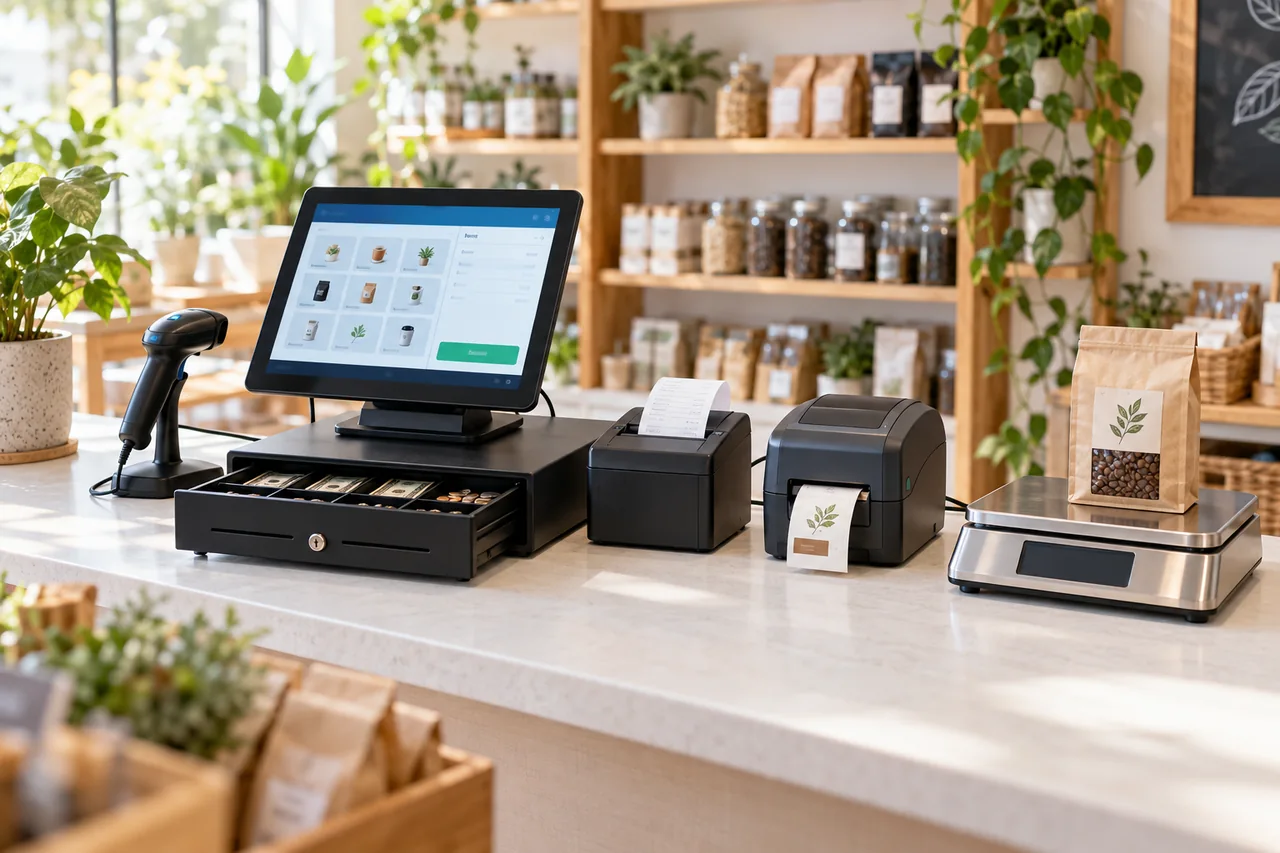
Touchscreen counter workflows for products, orders and checkout.
Configure drawer opening and cash handling within the checkout workflow.
Scan product barcodes for item selection and stock checks.
Print checkout receipts, order tickets and kitchen tasks.
Print product barcodes, prices and packaging labels.
Connect weight readings with product pricing workflows.
Share your device models and connection types to plan integration. Unsupported peripherals can receive free custom integration under an agreed scope.
Discuss branded channels and hardwareChoose products and variants, apply member offers, record payments and handle held orders or refunds in one checkout workflow.
Use the same SKU and barcode records for purchasing, receiving, stock counts and store replenishment.
Bring membership tiers, points, coupons and prepaid benefits into checkout, so staff can apply the right offer.
View sales and daily settlements across stores. Give each role the access and approval rights it needs.

Verify products, promotions, payments, and deliveries sequentially to ensure staff clarity during order creation and provide managers with traceable records.
Confirm product, specification, and quantity; bring to counter for checkout.
Scan barcodes or select items; verify prices and member discounts.
Complete Settlements per Store Payment Plan, Deliver Goods and Receipts.
Cross-Check Orders, Payments, and Item Inventory Records to Resolve Daily Variances.
Merchants Preferring Centralized System Operation by Service Providers, Configured Per Store Needs.
Teams with specific runtime environments, data management, or dedicated business process requirements.
Customize functions, interfaces, and system APIs based on industry workflows, store size, and management methods to fit your operational needs.
Offer Flexible Partnership and Pricing Models Tailored to Client Scale, Project Scope, and Service Requirements.
Connect webshops that provide usable APIs or open-source code, including Shopify and OpenCart. For systems, devices or channels not yet supported, we offer custom integration at no cost; confirm the scope with our team.
AllinWebPOS
Tell us about your store or project. We’ll email you to discuss a demo, a suitable scope and pricing.
Integrate product development, system integration, and implementation based on business needs, applying technology to concrete tasks such as merchandise, orders, channels, and daily collaboration.
AllinWebPOS provides desktop, tablet, and mobile checkout interfaces. Choose devices based on counter, mobile service, or management needs; plan scanner, receipt printer, and customer display configurations with existing models.
Number of stores, feature combinations, customization scope, deployment method, equipment, and channel integration requirements impact solution scope. We first confirm business needs, then provide corresponding pricing to help you consider software, implementation, and ongoing services together.
During discussions, we will separately confirm software usage/deployment, custom business modules, implementation configuration, device/channel services, and ongoing maintenance scope/costs. Unsupported peripheral systems/devices/channels may receive free custom integration, with scope explicitly defined in the proposal.
Provide device model, e-commerce platform, and version. We support mainstream receipt/label printers, mini programs, and major payment channels, and can integrate with stores offering APIs or open-source code (e.g., Shopify, OpenCart). Unsupported systems/devices/channels may qualify for free custom integration.
Assign discounts, price changes, and refunds via role permissions and sensitive operation authorizations, retaining order and action logs for manager verification.